
Ever wondered how secure your WordPress website truly is? As a small business owner in Canberra, understanding the unique threats you face is vital for protecting your digital presence. Let's explore essential strategies to fortify your website against evolving cyber threats.
What You Will Learn
- The local threat landscape for Canberra businesses includes data breaches and phishing attacks, necessitating proactive security measures.
- Regular updates of WordPress core, plugins, and themes are crucial for minimizing vulnerabilities and enhancing site security.
- Implementing strong, unique passwords alongside two-factor authentication significantly reduces the risk of unauthorized access.
- Choosing and properly configuring effective security plugins, such as Wordfence and Sucuri, can provide robust protection for your site.
- Ongoing community engagement and security policy implementation are essential for long-term protection against emerging cyber threats.
Essential WordPress Security Practices for Canberra Websites
Understanding the local threat landscape and implementing key security practices are crucial for protecting your WordPress site. The visual below outlines the critical areas to focus on for a robust online presence.
Understanding the Local Threat Landscape
- Data Privacy Violations (Australian Law)
- Reputation Damage
- Operational Downtime
Key Practice: Regular Updates
- Core Updates
- Plugin Updates
- Theme Updates
Key Practice: Strong Passwords & 2FA
- Unique Passwords
- Two-Factor Authentication (2FA)
Key Practice: Security Plugins
- Wordfence (Firewall, Malware Scanner)
- Sucuri (Monitoring Services)
- iThemes Security (Hardening)
Checklist for Immediate Action
- Update WordPress, plugins, themes
- Strong, unique passwords
- Enable 2FA
- Install reliable security plugin
- Implement SSL/HTTPS
- Regular backup schedule
- Scan for malware/vulnerabilities
- Limit user access
When to Consult a Security Professional
- Security breach suspicion
- Lack time/expertise for updates
- Handles sensitive data/transactions
- Thorough security audit needed
Essential WordPress Security Strategies for Canberra Websites
As a small business owner in Canberra, ensuring the security of your website is crucial. Local websites face specific threats that can jeopardize your hard work and investment. Understanding these regional compliance issues and unique vulnerabilities is the first step towards a fortified online presence!
Canberra, being a hub for various industries, sees a mix of cyber threats, from hacking attempts to phishing scams targeting local businesses. Additionally, local regulations require compliance with Australian privacy laws, further emphasizing the need for robust security measures. For businesses looking to establish a strong online presence, understanding these nuances is as important as choosing affordable web design options in Canberra.
Understanding the Local Threat Landscape
In our bustling Canberra business community, websites are not just digital storefronts—they are prime targets for cybercriminals. Threats such as data breaches, malware attacks, and unauthorized access are common. Local businesses also need to be aware of the increasing prevalence of phishing attacks aimed at exploiting any weaknesses in your web defenses.
- Data Privacy Violations: If your site collects user information, breaches could lead to severe penalties under Australian law.
- Reputation Damage: A compromised website can erode trust among your customers and clients.
- Operational Downtime: Cyber incidents can disrupt your business, leading to lost revenue and productivity.
Understanding these local threats is essential for developing a tailored security strategy. By staying informed about the risks, you can better prepare your website to withstand them.
Why WordPress Security Matters for Your Business

Securing your WordPress site is not just about protecting your data; it’s about safeguarding your entire business. A successful cyber attack can have significant repercussions that go beyond immediate financial loss.
- Business Continuity: Effective security measures help ensure that your operations remain uninterrupted.
- Customer Trust: When customers know their data is safe, they are more likely to engage with your business.
- Cost Savings: Investing in security now can save you from costly recovery efforts later.
As the owner of Web Design Canberra, I’ve seen first-hand how a secure website can build trust with clients. It’s not only about compliance; it’s about creating a safe space for your customers to interact with your brand!
Key WordPress Security Practices to Implement
Regular Updates: Keeping Core, Plugins, and Themes Fresh
One of the simplest yet most effective ways to protect your WordPress site is by ensuring that its core, plugins, and themes are always up to date. Developers frequently release updates that patch security vulnerabilities, so keeping everything current is essential.
- Core Updates: WordPress regularly issues updates that enhance security and functionality.
- Plugin Updates: Plugins can introduce vulnerabilities if not maintained; regular updates are critical.
- Theme Updates: Outdated themes can be exploited, making it vital to keep them fresh.
By prioritizing these updates, you can significantly lower the risk of a compromise. Remember, an updated site is a secure site! This is a core part of effective WordPress setup for ACT businesses.
Creating Strong Passwords and Enabling Two-Factor Authentication
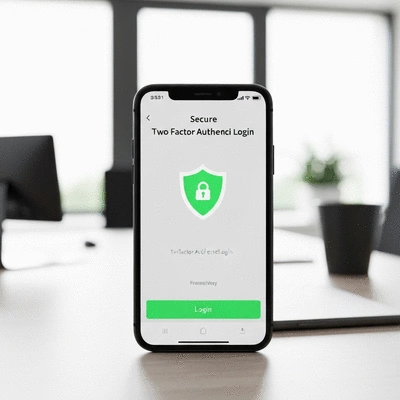
Strong passwords are your first line of defense against unauthorized access. Consider using a password manager to generate and store complex passwords that are hard to guess!
- Unique Passwords: Avoid using the same passwords across different sites. Each account should have its unique, strong password.
- Two-Factor Authentication (2FA): Adding 2FA provides an additional layer of security, requiring a second form of identification.
Implementing these practices can drastically reduce the chances of a breach. It’s a small step that makes a big difference!
Choosing and Configuring Effective Security Plugins
Security plugins are invaluable tools for protecting your WordPress site. I recommend considering options like Wordfence, Sucuri, and iThemes Security. These plugins offer robust features to help shield your website from threats.
- Wordfence: Includes a firewall and malware scanner to protect against common threats.
- Sucuri: Provides complete website security and monitoring services.
- iThemes Security: Focuses on hardening your WordPress installation against attacks.
When choosing a plugin, look for features that align with your specific security needs. Proper configuration is key to maximizing their effectiveness.
Interactive Poll: Your Thoughts on Security
As a Canberra business owner, how confident do you feel about your website's current security measures? Share your thoughts with us!
Frequently Asked Questions (FAQs) about WordPress Security for Canberra Businesses
Final Thoughts on Securing Your Canberra WordPress Site
As we wrap up our discussion on securing your WordPress website, it's clear that implementing these essential security strategies is crucial for protecting your business online. Cyber threats can impact not only your website's functionality but also your credibility and customer trust. By taking proactive measures, you can significantly reduce the risks and ensure a safer digital environment for both you and your clients.
Don't forget, the security landscape is always evolving. Regularly evaluating and updating your security practices will keep your site resilient against emerging threats. Whether you run a small café, a local service provider, or any other business, safeguarding your online presence is paramount.
Checklist for Immediate Action
To help you get started, here’s a quick checklist of vital security measures you should implement right away:
- Update WordPress, plugins, and themes regularly.
- Create strong, unique passwords for all user accounts.
- Enable two-factor authentication for added login security.
- Install a reliable security plugin like Wordfence or Sucuri.
- Implement SSL and HTTPS for secure data transmission.
- Establish a regular backup schedule.
- Scan for malware and vulnerabilities frequently.
- Limit user access to sensitive areas of your site.
These steps are foundational to building a secure web presence. By checking these off your list, you'll be taking significant strides in protecting your site!
Get Expert Help: When to Consult a Security Professional
While many security measures can be implemented independently, there are certain scenarios where reaching out to a professional may be beneficial. Consider consulting a security expert if:
- You experience a security breach or suspect your site has been compromised.
- You lack the time or expertise to manage ongoing security updates.
- Your website handles sensitive data or transactions.
- You want to conduct a thorough security audit to identify weaknesses.
These professionals can provide tailored advice and solutions that cater to the specific needs of your business, ensuring comprehensive security.
Engaging with the Canberra Community for Ongoing Security Awareness
Staying informed and connected with the local community can greatly enhance your knowledge of web security. I encourage you to participate in local web security forums, workshops, or meetups. Engaging with like-minded business owners and experts will not only help you stay updated on the latest threats but also foster relationships that can be invaluable for your business. For those looking to optimize their online presence further, exploring a complete guide to SEO in Canberra can offer additional advantages.
Implementing Security Policies for Long-Term Protection
Establishing strong security policies is vital for long-term protection. These policies should include:
- Regular security audits to assess potential vulnerabilities.
- A clear response plan for security breaches.
- Training for staff on best security practices.
- Strong data protection measures complying with local regulations.
By cultivating a culture of security awareness within your organization, you can better prepare for potential threats and maintain a secure environment for your business. This proactive approach is key to success, just as carefully choosing WordPress for Canberra businesses lays the foundation for a robust online presence.
Recap of Key Points
Here is a quick recap of the important points discussed in the article:
- Understand the local threat landscape, including data breaches and phishing attacks, to develop an effective security strategy.
- Regularly update WordPress core, plugins, and themes to patch vulnerabilities and enhance security.
- Create strong, unique passwords and enable two-factor authentication to protect against unauthorized access.
- Utilize reliable security plugins like Wordfence and Sucuri for comprehensive protection.
- Establish strong security policies and conduct regular audits to maintain long-term protection.